
GTA 5 Tarzı Fotoğrafı Oluşturma
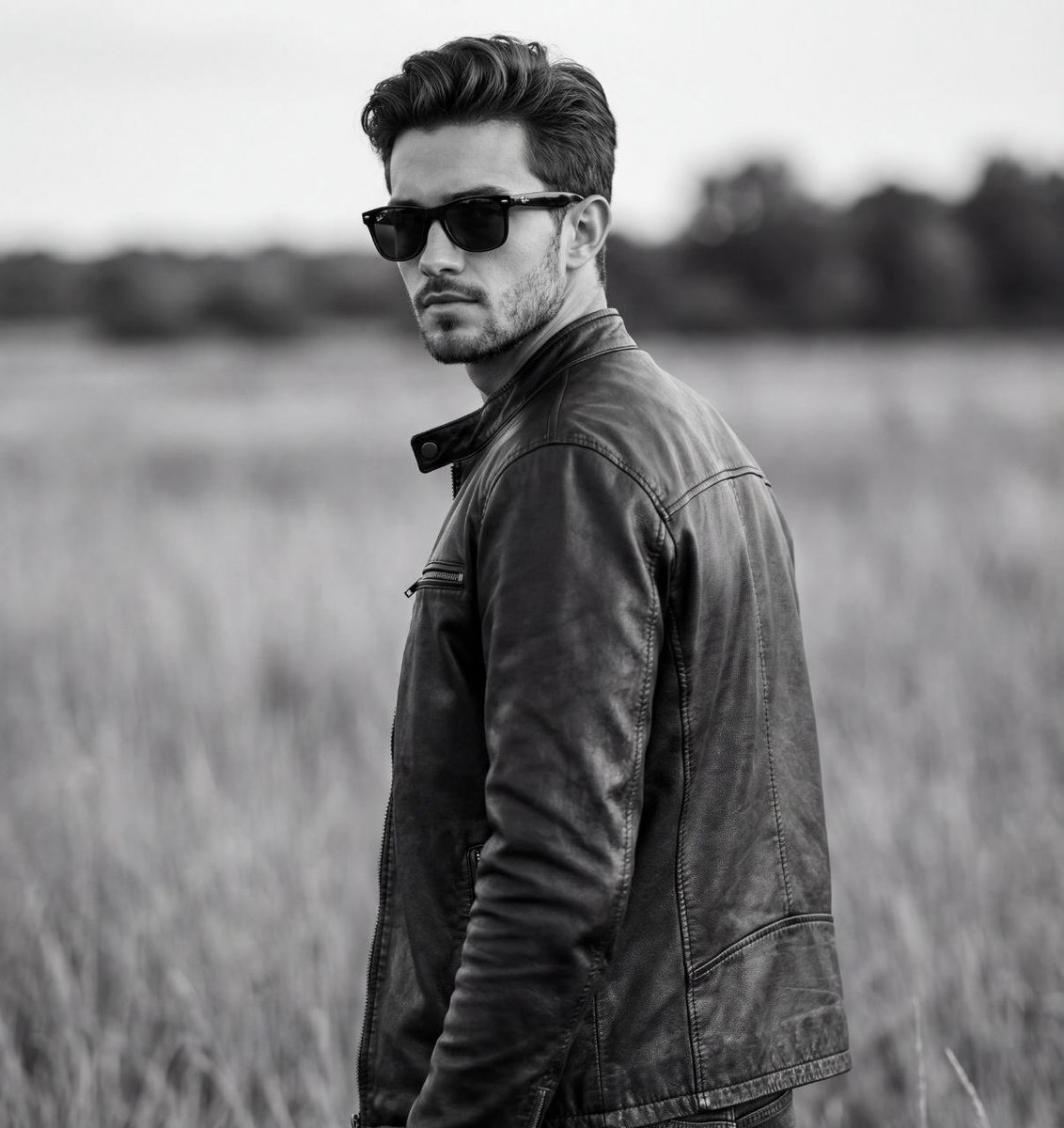
Bu prompt, kullanıcının yüklediği bir fotoğraf referansı üzerinden, 'Grand Theft Auto IV' (GTA IV) oyununun yükleme ekranı tasarımı tarzında bir kavram resmi oluşturulmasını istiyor. Prompt, bu görev için birkaç kritik sanatsal adım ve özellik tanımlıyor.
Birincil Stil: İlk olarak, resim, GTA IV'ün görsel kimliğine uygun olarak, kalın hatlarla, grunge gerçekçilik ve yüksek kontrast hücre gölgelendirme ile görünüşe sahip bir el yapımı dijital illüstrasyon gibi görünecek.
Konu İşleme ve Ölçekleme: Prompt, mevcut kişi, hayvan vb. öğelerin kullanılmasını ve yeni öğelerin eklenmemesini kesin olarak gerektiriyor. Ayrıca, ana konu ve varsa diğer öğeler, GTA IV sanat stili ile yeniden çizilmeli ve dramatik bir şekilde aydınlatılmalı.
Kompozisyon: Kamera, konu grubuna göre orta-geniş bir açıyla çekilmeli, konular çerçeveyi doldurmamak için bol boş alan bırakmalı.
Rastgele Poz ve Aksesuar Kombinasyonu: Prompt, ana konunun duruşu ve aksesuarları için 9 farklı seçenek sunuyor ve her oluşturulacak görüntünün bunlardan rastgele seçilmesi gerekiyor.
Arka Plan İşleme: Arka plan, ya geniş bir kent manzarası ya da geniş bir sokak sahnesi olmalı, ancak her durumda siyah-beyaz/gri tonlarında ve bulanık/doygun dışı olmalı.
Arayüz Kısıtlaması: Son olarak, oluşturulan görüntü, saf bir kavram sanatı olarak kalmalı, yükleme ekranı grafikleri veya metinler eklenmemeli.
{ }Değişken Açıklamaları:
- [BACKGROUND_COLOR]: Arka plan rengini belirler.. Örneğin; kırmızı, mavi, yeşil
- [POSE_OPTION]: Ana karakterin pozunu seçer.. Örneğin; A, B, C, D, E, F, G
- [SECONDARY_SUBJECTS]: İkincil karakterlerin veya hayvanların varlığını belirtir.. Örneğin; kedi, köpek, arkadaş

Değişkenleri Düzenle
Create a Grand Theft Auto IV loading screen concept artwork in a 1:1 square aspect ratio, based on the uploaded image. Please apply the following artistic steps: ⸻ 1. Primary Style The image should look like a hand-painted digital illustration with bold outlines, gritty realism, and high-contrast cel-shading, true to the GTA IV visual identity. ⸻ 2. Subject Handling and Scaling (IMPORTANT – STRICT RULE) • Detect Existing Subjects Only: Use the main person in the uploaded image as the base subject. Additionally, include [SECONDARY_SUBJECTS] that are physically present next to this person in the reference image. • Prohibition (Negative Constraint): Do NOT generate or add any new people, animals, or living beings that are not present in the reference image. Preserve strictly what exists in the photo—nothing more. • Style and Color: The main subject and [SECONDARY_SUBJECTS] must be fully colored, dramatically lit, and redrawn in the bold GTA IV art style, while preserving facial features and recognizable characteristics. • Composition (Pulled-Back Shot): Pull the camera back to a medium-wide shot relative to the subject group. Subjects must NOT fill the entire frame. Leave ample negative space around them (above their heads and on the sides) to add depth and allow room for motion in video editing. ⸻ 3. Pose and Accessory Combination Use [POSE_OPTION] for the main subject’s pose and accessory. If [SECONDARY_SUBJECTS] exist from the reference image, adapt the chosen pose to create a natural interaction with them. ⸻ 4. Background Processing – Randomized and Large Scale Make a random selection between the following two types: • TYPE A – Wide Cityscape (Wide Shot): Liberty City (NYC) skyscraper skyline, a panoramic view of the Istanbul Bosphorus, a crowded major intersection in Tokyo, or London’s Big Ben with the Thames. • TYPE B – Wide Street Scene (Bird’s-Eye View): A broad road with a few passing cars or taxis, surrounded by shops or buildings. Common Rule: Regardless of the selected background type, it must be rendered entirely in [BACKGROUND_COLOR], hazy and desaturated, creating a strong contrast with the fully colored subjects. ⸻ 5. Interface Restriction (Negative Prompt) The generated image must remain pure concept artwork. Do NOT add “Loading…”, game logos, progress bars, or any text or UI elements. The image must be completely clean.
Bu Prompt Seni Bekliyor
Gemini için hazırlanmış bu promptu anında kopyala, kullan.
Ücretsiz üye ol, binlerce prompta eriş.
10 saniyede üye ol, sınırsız prompt keşfet


Bu prompt kullanmadan önce düzenlemeniz gereken 3 değişken içerir.
Keşfet
Alternatif Araçlar
Biliyor muydunuz?
Türkçe prompt yazıyorsan bile en kaliteli teknik terimleri İngilizce yazmak (chain of thought, few-shot, step-by-step reasoning) hâlâ daha iyi sonuç veriyor.
En Popüler


İlgili Etiketler
Benzer promptlar


Topluluk Görüşleri
Bu içerik hakkında üyeler neler düşünüyor?
Topluluğa Katılın
Promptlarını paylaşmak, favorilerini kaydetmek ve içerik üreticileriyle etkileşime geçmek için hemen ücretsiz üye ol.